
Download AddInternet Buscar Dominio – Free Domain Search & Whois Tool for Windows
Overview
AddInternet Buscar Dominio is a comprehensive domain‑search utility built specifically for Windows desktops. Designed for entrepreneurs, web developers, digital marketers, and anyone who needs to verify the availability of a web address, this free software combines two powerful functions in a single, easy‑to‑use interface: Domain Search and Whois Search. The Domain Search engine scans a wide catalog of top‑level domains (TLDs) – from the ubiquitous .com, .net, and .org to newer extensions such as .tech, .store, and country‑code domains – delivering instant feedback on which names are still up for registration.
Meanwhile, the integrated Whois Search queries the global Whois database, returning detailed ownership records, registration dates, expiration information, and contact data for any existing domain. By centralising both discovery and verification steps, AddInternet Buscar Dominio eliminates the need to hop between multiple web portals, saving time and reducing the risk of missing a critical detail. The application runs locally, which means searches are performed quickly without relying on third‑party web services, and the data you retrieve stays on your machine, adding an extra layer of privacy.
Whether you are brainstorming a brandable URL, checking the status of a competitor’s site, or simply confirming that your favourite .io domain is still free, this tool offers a secure, reliable, and completely free solution for Windows users.
Key Features
- Dual Search Engine: Switch seamlessly between Domain Search and Whois Search from a single dashboard.
- Extensive TLD Coverage: Over 300 domain extensions are searchable, including legacy TLDs (.com, .net) and modern niche extensions (.app, .blog, .club).
- Instant Availability Results: Real‑time feedback shows whether a domain is free, taken, or pending delete.
- Whois Detail Retrieval: Access registrant name, organization, email, phone, and registrar information directly from the global Whois database.
- Bulk Search Capability: Paste a list of up to 50 domain ideas and receive a consolidated report.
- Export Options: Save search results as CSV or plain text for offline analysis or client presentations.
- Secure Local Processing: All queries are executed on your PC; no personal data is transmitted to external servers.
- Lightweight Installation: The installer is under 5 MB, making it quick to download and easy on system resources.
- Automatic Updates: Periodic update checks keep the TLD list and Whois endpoints current.
- Multilingual Interface: Available in English, Spanish, Portuguese, and French, catering to a global audience.
Installation, Usage & Compatibility
Step‑by‑Step Installation
1. Download the installer: Click the “Download” button on the official AddInternet website. The file is named BuscarDominio_Setup.exe and is signed with a valid digital certificate for Windows.
2.
Run as Administrator: Right‑click the installer and choose “Run as administrator” to allow the program to write to the Program Files directory.
3. Accept the EULA: Review the End‑User License Agreement, then click “I Agree” to proceed.
4. Select Installation Folder: The default path (C:\Program Files\AddInternet\BuscarDominio) works for most users; you can change it if desired.
5.
Complete Installation: Click “Install” and wait a few seconds. Once finished, launch the application from the Start menu or desktop shortcut.
How to Use the Tool
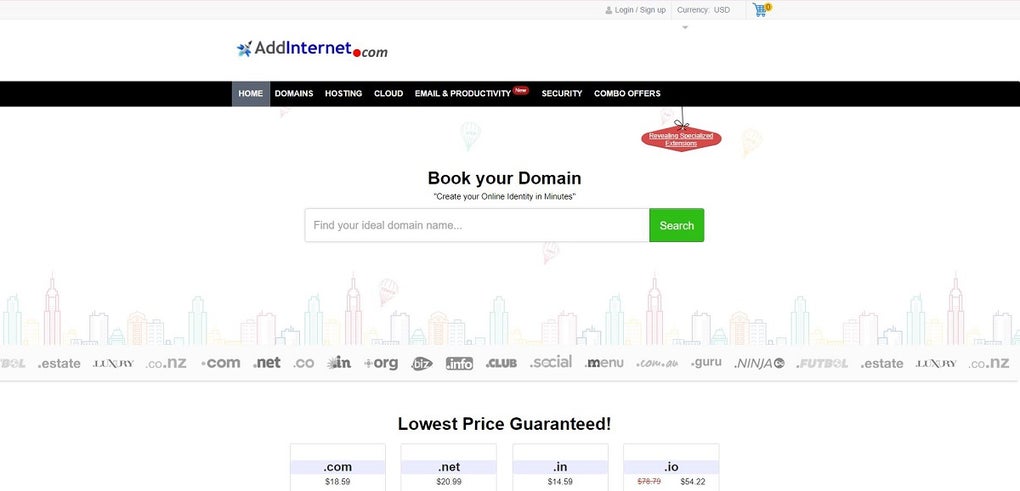
Upon launching, you will see two tabs at the top: Domain Search and Whois Search. To check a name, type the desired keyword into the text box, select one or more TLDs from the drop‑down list, and press “Search”. Results appear in a sortable table showing status (Available, Taken, Reserved) and a quick “Register” button that opens the default registrar’s page.
For Whois queries, simply paste the full domain name and click “Lookup”. The detailed record is displayed in a separate pane, with options to copy the information or export it. The bulk search feature can be accessed via the “Batch” button; paste a newline‑separated list of domains, and the program will process each entry sequentially, highlighting any available names in green.
System Requirements & Compatibility
AddInternet Buscar Dominio runs on all modern Windows operating systems, including Windows 10 (64‑bit), Windows 11, and Windows Server 2016/2019. The software requires .NET Framework 4.7.2 or later, which is pre‑installed on most recent Windows builds. Minimum hardware specifications are modest: a 1 GHz processor, 512 MB RAM, and 50 MB of free disk space. Because the application is native to Windows, it does not support macOS, Linux, Android, or iOS. Users on non‑Windows platforms can consider running the program through a virtual machine or using the web‑based version offered by AddInternet, though the desktop client remains the most feature‑rich option.
Pros, Cons, FAQ & Conclusion
Pros
- Free for personal and commercial use – no hidden subscription fees.
- All‑in‑one solution: domain availability + Whois data in one interface.
- Fast local processing ensures quick results without internet latency.
- Extensive TLD support helps discover niche extensions.
- Bulk search and export features streamline workflow for agencies.
- Secure, privacy‑focused design – no data leaves the user’s computer.
Cons
- Limited to Windows; no native macOS or mobile apps.
- Interface, while functional, feels dated compared to modern web‑based tools.
- Whois lookups rely on public databases, which may be rate‑limited for very large batches.
- No integrated domain registrar; users must manually visit a registrar to purchase.
Frequently Asked Questions
-
Is AddInternet Buscar Dominio really free?
Yes, the desktop version is completely free for both personal and commercial use. There are no hidden fees, and all features – including bulk search and export – are available without a subscription.
-
Can I use the tool on macOS or Linux?
The native application is Windows‑only. macOS or Linux users can run it inside a Windows virtual machine, or they may use AddInternet’s web‑based domain search portal, which offers similar functionality.
-
How often is the TLD list updated?
AddInternet releases automatic updates every month. The program checks for new extensions and updates the local database in the background, ensuring you always have the latest domain options.
-
Is my search data stored or shared?
All searches are processed locally on your computer. The software does not transmit query data to external servers, preserving your privacy. Only the public Whois records, which are already publicly accessible, are retrieved.
-
What should I do if a domain appears “available” but is already taken?
Availability is based on the latest data from the domain registries. In rare cases, a registrar may reserve a name after the query is completed. We recommend double‑checking the status on the registrar’s website before proceeding with registration.
Conclusion & Call to Action
AddInternet Buscar Dominio stands out as a reliable, no‑cost solution for anyone serious about securing the perfect web address on Windows. Its dual‑search capability, extensive TLD support, and privacy‑first architecture make it a practical choice for freelancers, agencies, and small businesses that need quick, accurate domain insights without the overhead of subscription services. While the UI may feel a bit classic and the tool is limited to the Windows ecosystem, the core functionality is solid and the performance is impressive. If you’re ready to streamline your domain‑hunting workflow, simply download AddInternet Buscar Dominio now and start testing name ideas instantly. The free tool puts powerful domain intelligence at your fingertips – no credit card, no trial period, just immediate results.







